Projects

WineFind

Design + Marketing internship for an early-stage startup

OVERVIEW

I led an end-to-end UI/UX redesign to differentiate Wine Find in a crowded wine-app market and introduce a new social feature. I prioritized whitespace and elegance to reduce visual density and make complex wine information feel lighter and more breathable while still supporting depth, discovery, and social interaction.

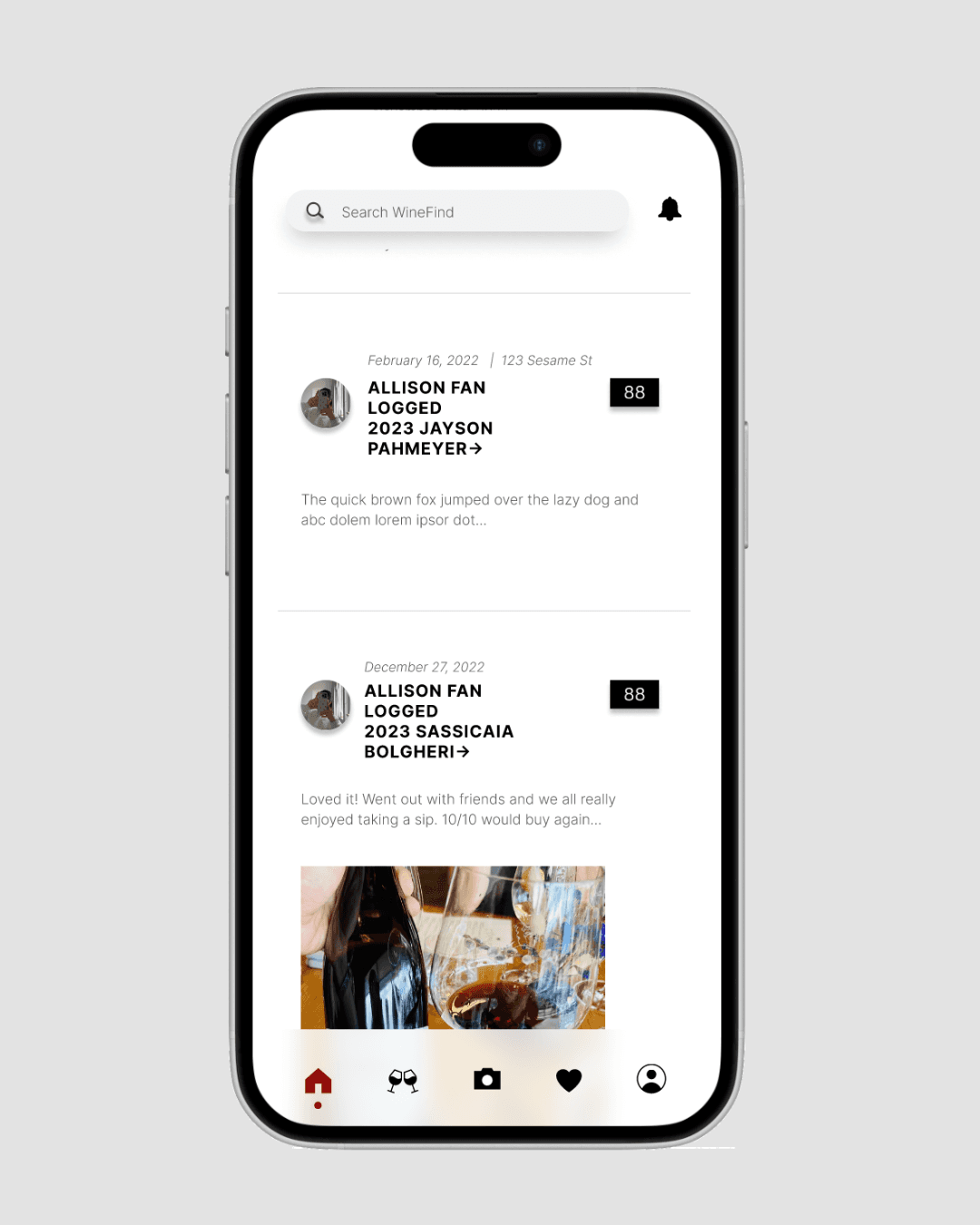
UI minimalistic widgets

ROLE

UX/UI Designer
Marketing

TEAM

TEAM

1 designer (me)
1-2 engineers
2 founders

SKILLS

SKILLS

Figma
Adobe Premiere Pro
Social Media Marketing
Apple Ads


DATE

DATE

Oct 2025- Now

Oct 2025- Now


How might we help WineFind stand out in a saturated market of wine apps?

How might we help WineFind stand out in a saturated market of wine apps?

How might we help WineFind stand out in a saturated market of wine apps?

Target Audience Research

  • Wine Find needed to serve two overlapping audiences:

    • Primary users: 30+ wine enthusiasts who view wine as a lifestyle hobby

    • Secondary users: 21+ professionals who want to start learning about wine but feel overwhelmed by the information

  • Key insights

    • Users in this space expect quality, authenticity, aesthetics, community, and discovery

Market Research

  • I also conducted light competitor analysis across major wine apps.

  • Many existing wine apps feel:

    1. Visually outdated

    2. Dense and overwhelming

    3. Inaccurate or unintuitive

  • The biggest opportunity for differentiation was:

    1. UI as first impression — making the app feel aspirational and premium

    2. UX clarity — allowing users to actually discover the app’s strong functionality

This led me to focus first on building a sleek visual system and a clearer information hierarchy to reduce cognitive load and encourage exploration.

Goals

Based on the research, we decided that the app should focus on accomplishing the following:

01

Make dense wine information feel easy and enjoyable to explore

02

Create a premium, memorable experience that reflects wine as a lifestyle hobby

03

Clarify navigation and page purpose, especially after introducing social features

Design Highlights

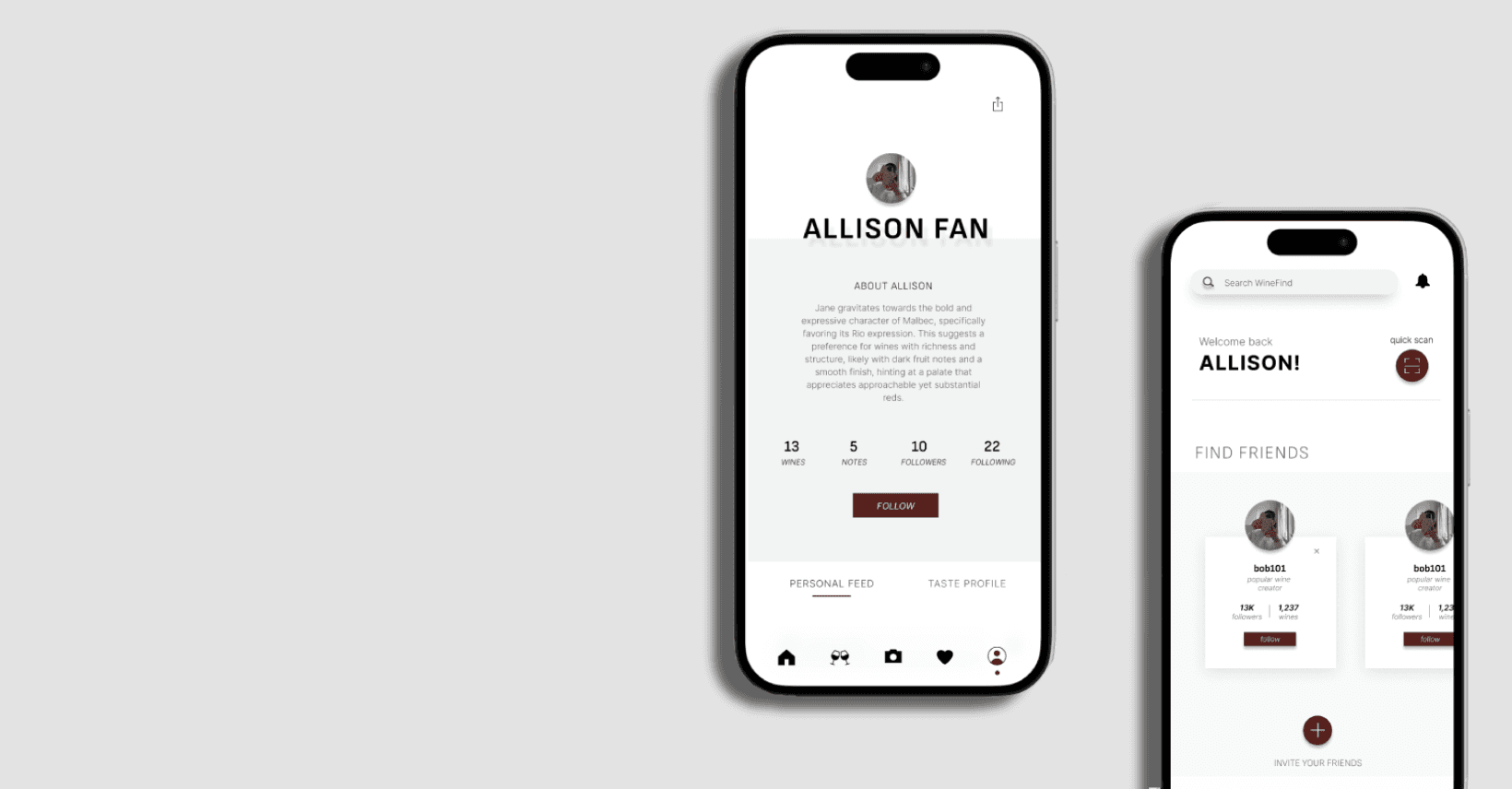
Restructure the app to support a new social feature

The app added a new friends/social feature, but the existing layout wasn’t built to support it cleanly.

I redesigned and restructured:

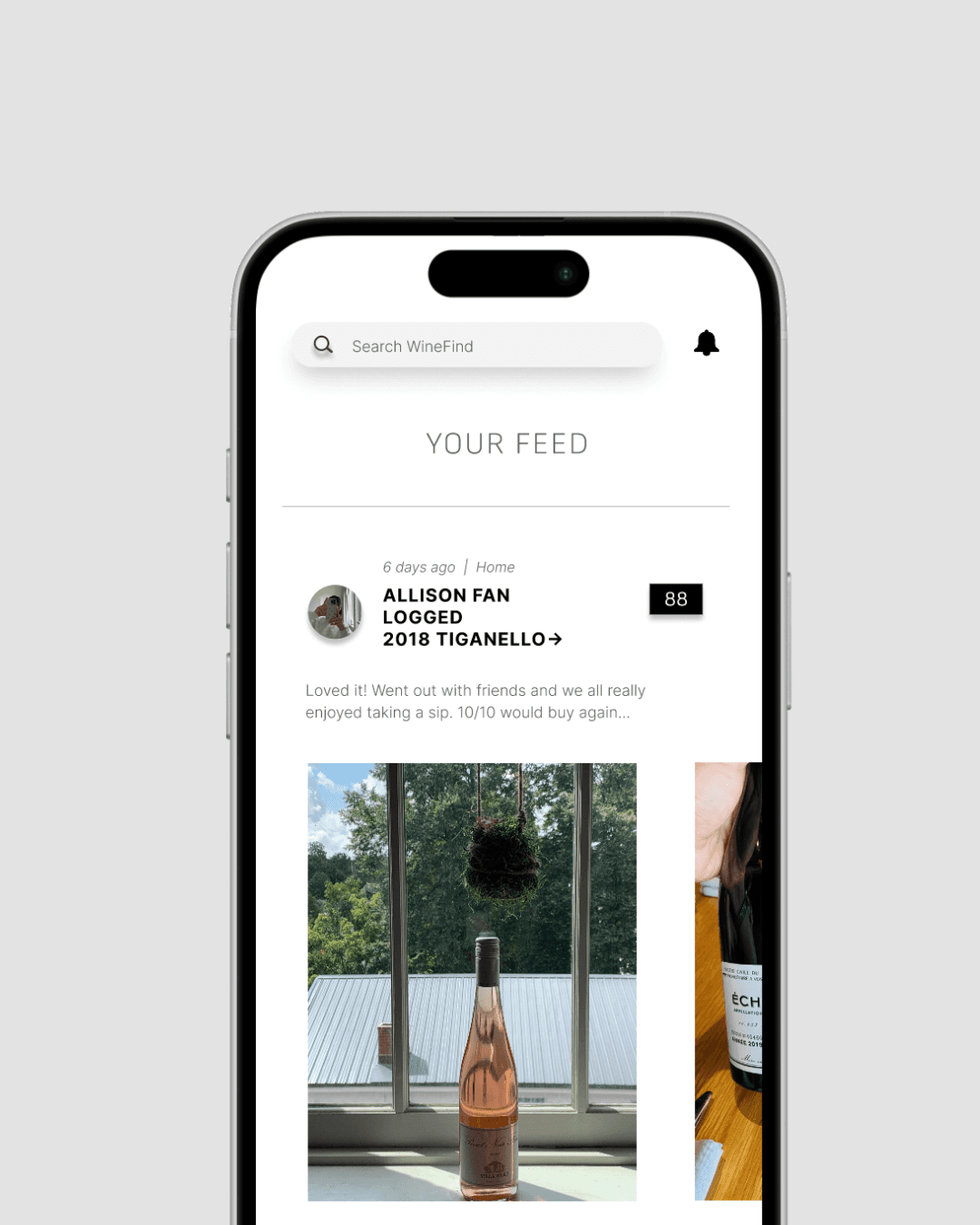
  • Home / Feed page

    • Introduced a social feed

    • Created a clear entry point for discovery

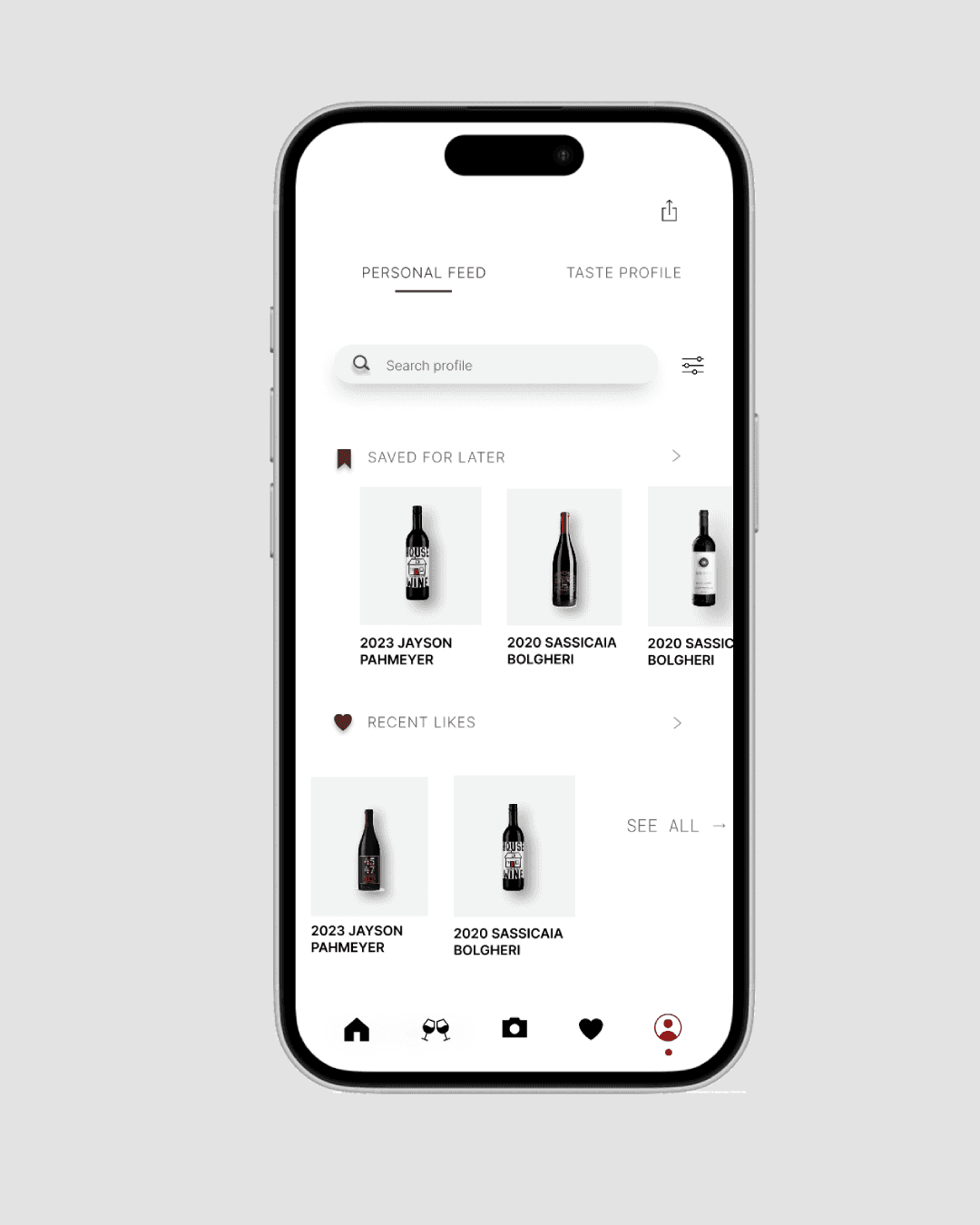
  • Navigation hierarchy

    • Gave each page a single, focused job

    • Reduced confusion between sections

Clear page roles reduced friction and helped users understand where to go for social content, personal content, and wine discovery.


UI DESIGN

One of my primary responsibilities was redesigning the app interface. I wanted it to have a distinct look and feel, but also to have the information on the app be intuitive to navigate. To do this, I made the following design decisions:


UI minimalistic widgets

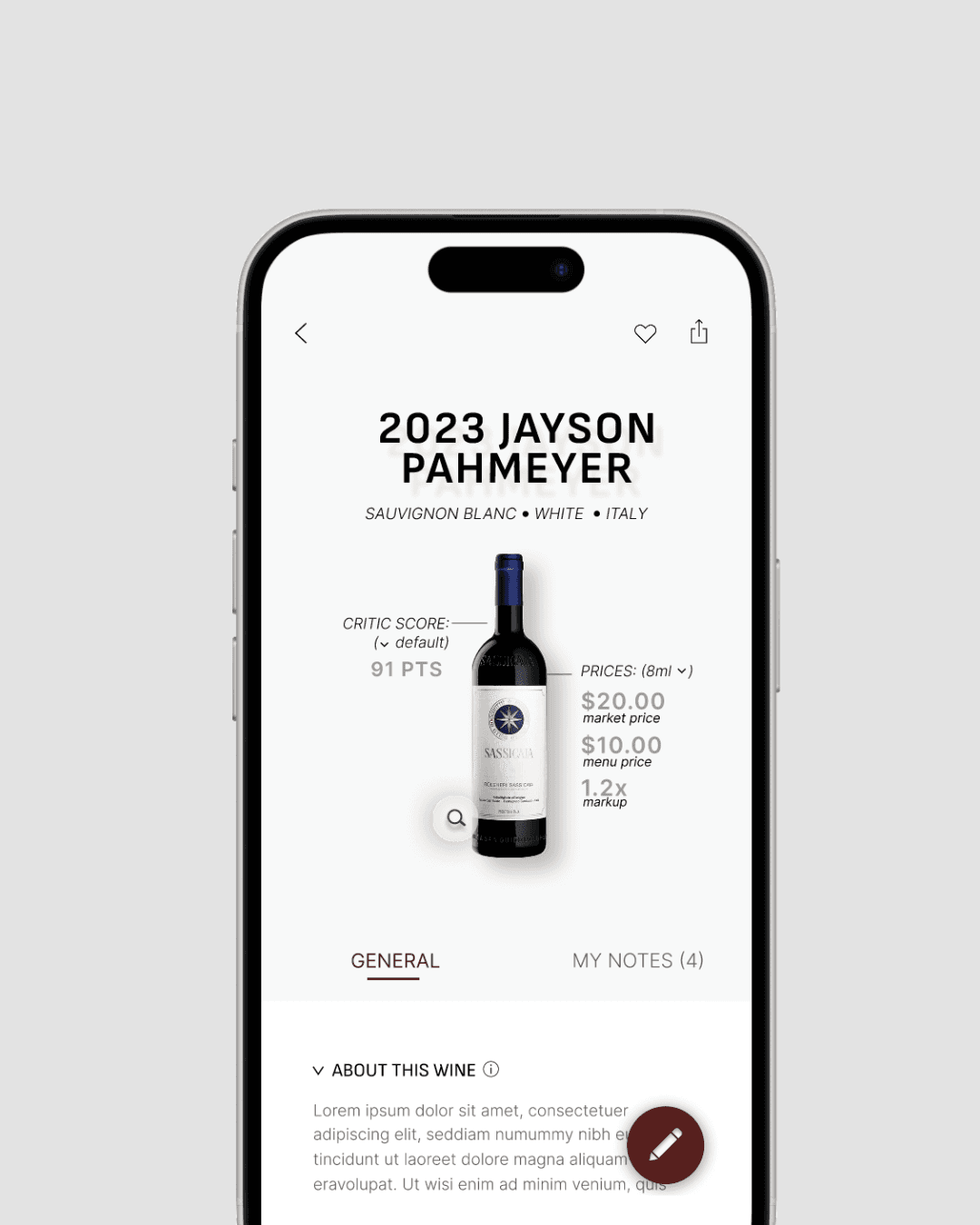
Decision 1: Make wine data feel visual rather than text-heavy

Wine detail pages were dense and felt more like a spreadsheet than a lifestyle product.

I redesigned the wine detail page to:

  • Use visual grouping for related information

  • Introduce hierarchy through layout and spacing

  • Create a more editorial, premium feel


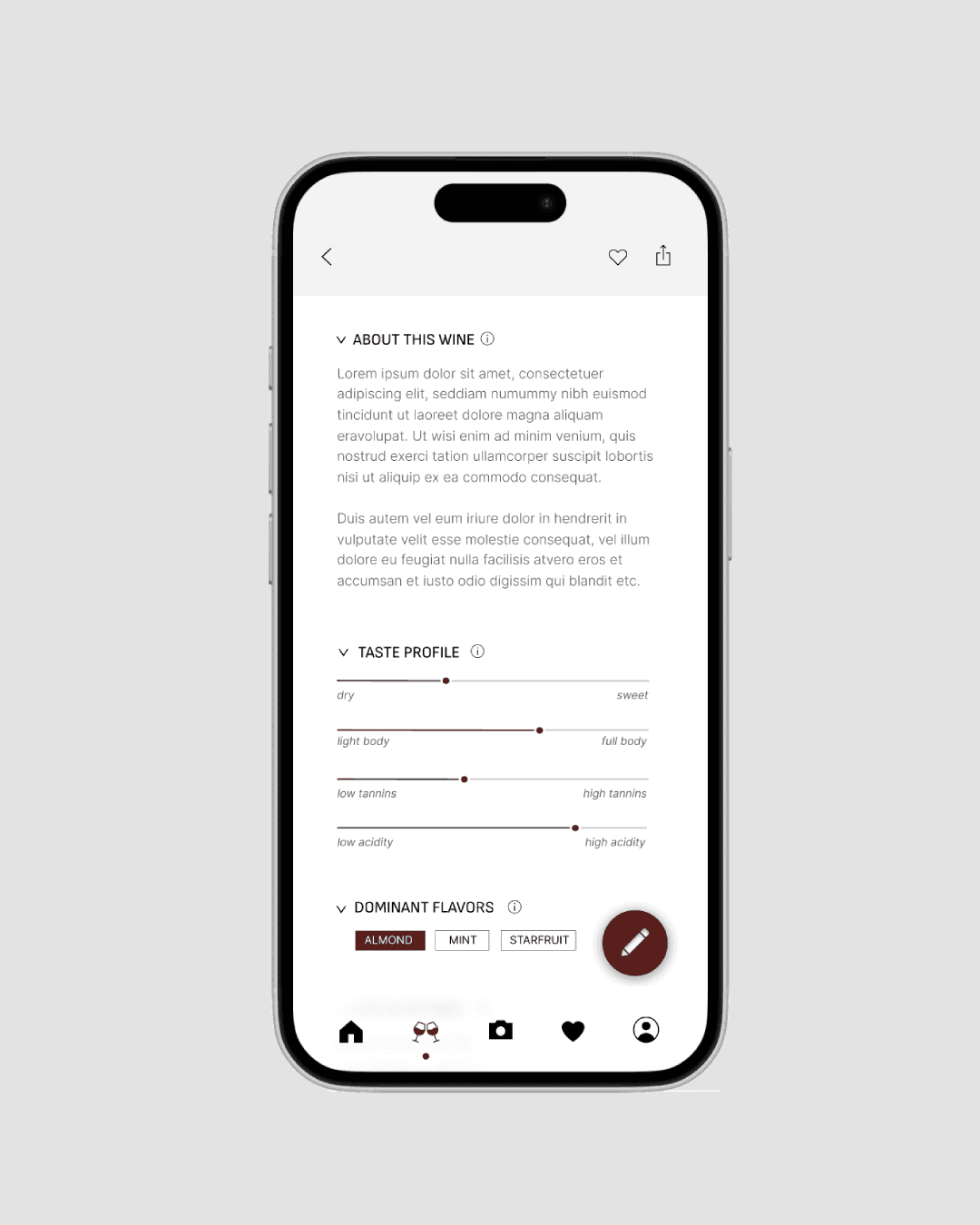
Decision 2: Whitespace as a usability tool

The app displayed large amounts of wine data, which could be overwhelming for new users.

I intentionally prioritized:

  • Larger Spacing

  • Thinner typography

This made dense information feel lighter, more scannable, and more approachable without sacrificing depth.

Decision 3: Balance premium UI with unpredictable user content

User reviews (aka notes) allowed image uploads, which introduced visual chaos and risked breaking the premium look.

To fix this, I…

  • Simplified the notes UI into a neutral black-and-white system

  • Let user images take visual priority

  • Minimized color clashes and visual noise

Tradeoff: This section became more minimal than other parts of the app, but it preserved cohesion and scalability.

Final Outcome

The final redesign delivered:

  • A new social home/feed experience

  • A restructured navigation system

  • A redesigned wine detail page with improved hierarchy

  • A cleaner, more readable profile page

  • A cohesive visual system grounded in whitespace and elegance

Together, these changes created a more premium, intuitive, and discoverable experience without requiring a full technical overhaul.

UI minimalistic widgets

Reflection

Reflection

What I learned

  • How to use whitespace and hierarchy to reduce cognitive load

  • How to design visual systems that survive user-generated content

  • How to balance brand ambition with real-world engineering constraints

Smooth Scroll
This will hide itself!
Smooth Scroll
This will hide itself!
Smooth Scroll
This will hide itself!