Projects

RoomCraft

MIT Web.Lab Honorable Mention

OVERVIEW

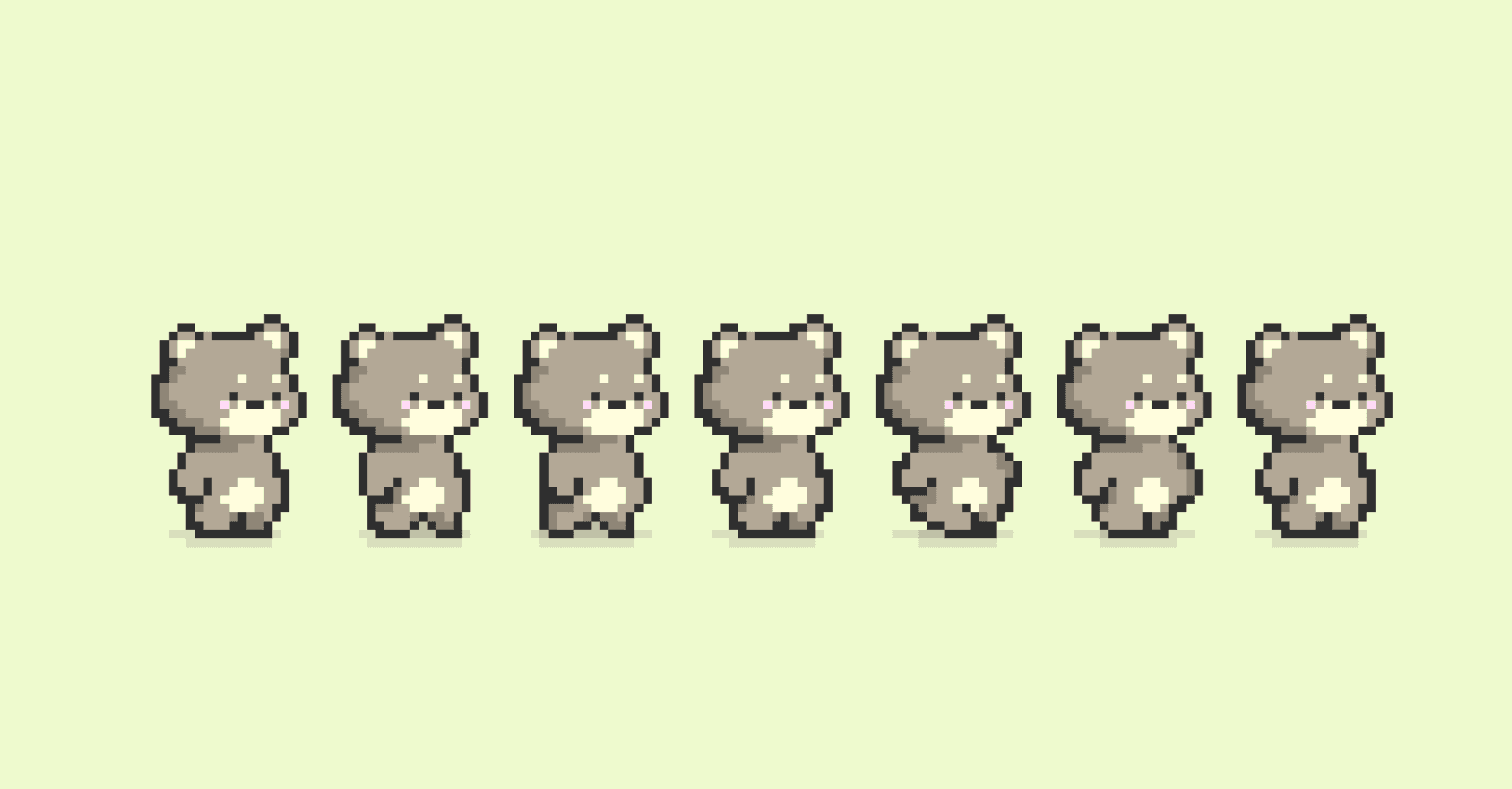
A gamified productivity web app built in two weeks. The goal was to motivate students to complete their tasks by transforming productivity tools into an interactive, game-like environment. We designed a virtual room experience where users controlled a pixelated bear avatar and interacted with different productivity features, each represented as an object in the room.

A black and white image of a handrawn logo

ROLE

Designer

TEAM

TEAM

Allison Fan
Minnie Liang
Jasmine Shone

SKILLS

SKILLS

Figma
Adobe Photoshop

DATE

DATE

2024

2024


How might we transform productivity tools for students so that they feel more motivated and emotionally invested in completing tasks?

How might we transform productivity tools for students so that they feel more motivated and emotionally invested in completing tasks?

How might we transform productivity tools for students so that they feel more motivated and emotionally invested in completing tasks?

THE CHALLENGE

High school and college students often struggle to stay motivated with traditional productivity tools. Most to-do list apps feel:

  • Static and uninspiring

  • Easy to ignore

  • Detached from emotional reward

  • Lacking a sense of progress or narrative


At the same time, our team faced major constraints:

  • Only two weeks to design and build

  • Limited engineering bandwidth

  • No existing design system

  • High competition quality bar (450+ teams)

  • Need to ship something polished, not half-built

GOALS

We decided to focus on the following design goals:

01

Make task management feel engaging rather than overwhelming

02

Keep the main user flow simple, intuitive, and fast for busy students

03

Visually reinforce progress and motivation

Design Highlights

DESIGN DECISION 01

Use a spatial “room” metaphor instead of a traditional dashboard

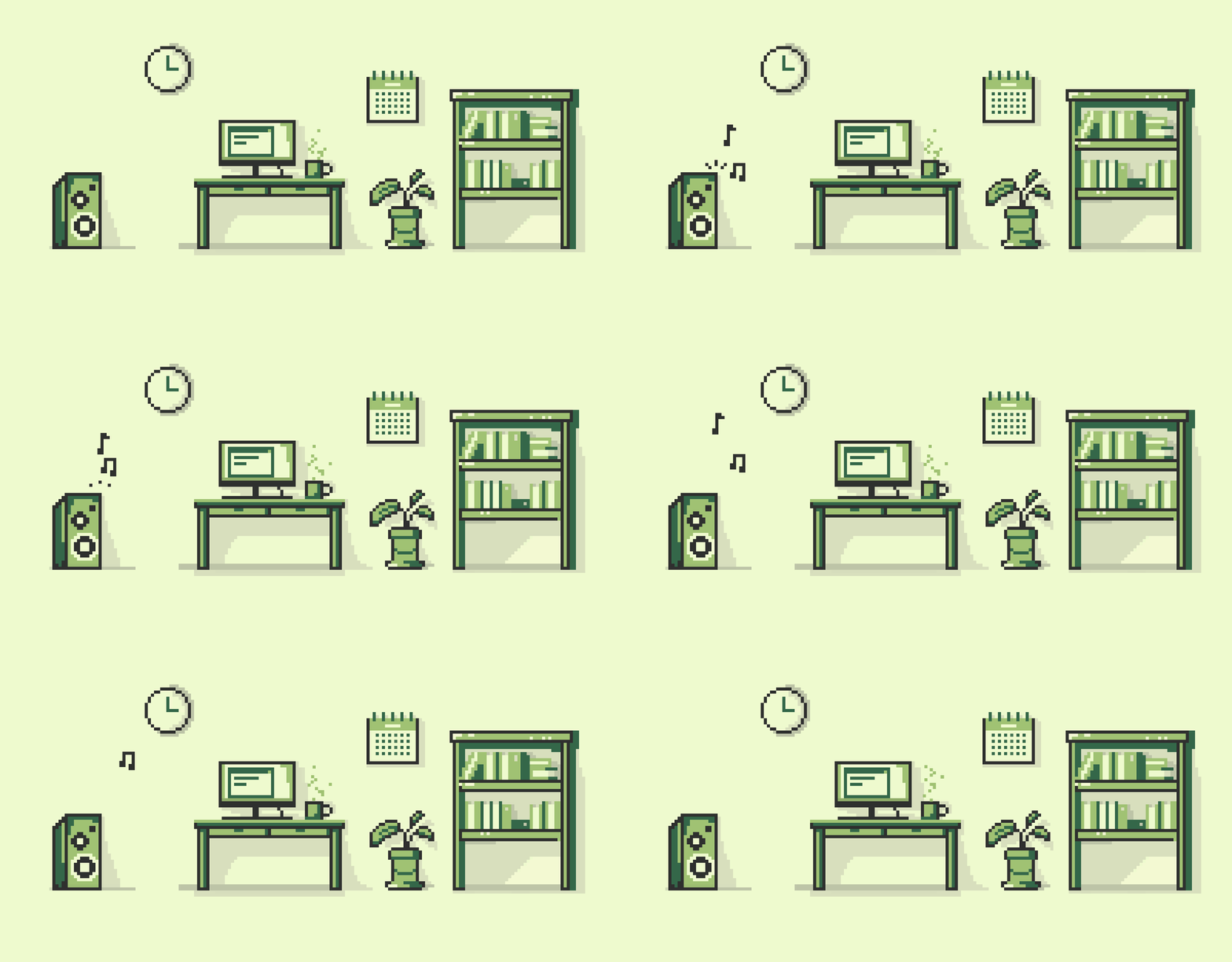
Standard productivity dashboards feel monotonous and flat, which makes it easy for users to disengage. I designed a virtual room where each productivity feature was represented as a physical object:

  • Desk → To-do list / notebook

  • Clock → Pomodoro timer

  • Speaker → Spotify playlist

  • Bookshelf → Achievements and journey

Users controlled a pixelated bear avatar and physically “walked” to each feature. This spatial UX made the experience feel playful and exploratory, turning productivity into something users could emotionally connect with.


DESIGN DECISION 02

Scope the core user flow

We initially had more feature ideas than we could realistically implement in two weeks. We prioritized a single, clear primary user journey:

  1. Sign in

  2. Enter the virtual room

  3. Select a productivity feature

  4. Complete a task

  5. Earn progress toward achievements and story chapters

Secondary features (advanced analytics, customization, social sharing) were intentionally cut so that we could ship a smaller, more polished experience that felt complete.


DESIGN DECISION 03

Design for ease of development

Complex UI patterns and animations would slow down implementation. I intentionally designed:

  • Reusable UI components

  • Simple layouts

  • Minimal, consistent graphics and color palette

This allowed our project to be implemented quickly while maintaining visual coherence.


DESIGN DECISION 4

Add narrative progression to sustain motivation

Short-term gamification (points, badges) alone doesn’t sustain long-term engagement. We introduced a chapter-based journey system:

  • Users unlocked story chapters as they completed tasks

  • Visual progress reinforced long-term motivation

  • Achievements felt tied to narrative growth, not just stats

This created a sense of purpose and continuity, encouraging users to return even after initial novelty wore off.


Final Outcome

The final product delivered:

  • A playful virtual room interface

  • A controllable pixel-bear avatar

  • Integrated productivity tools (to-do list, Pomodoro, Spotify)

  • A leaderboard for competitive motivation

  • A chapter-based achievement system

  • A cohesive UX that blended play with productivity

Despite the two-week timeline, the experience felt complete, usable, and emotionally engaging.

A black and white image of a handrawn logo

Reflection

Reflection

What I learned

  • How to scope UX under extreme time pressure

  • How to design emotionally engaging productivity tools

  • How to collaborate effectively with engineers

  • How to balance ambition with technical feasibility

What I’d do differently

  • With more time, I would run user testing with students to validate which gamification elements actually drive long-term behavior change.

Smooth Scroll
This will hide itself!
Smooth Scroll
This will hide itself!
Smooth Scroll
This will hide itself!